

A Business Analysis Case Study on Construction Inventory Management Software, Procurement Automation, and Interior Project Management for the Construction ERP / SaaS Industry
1. Executive Summary
In construction and interior fit-out projects, material availability directly impacts project timelines, cost control, and site productivity. Materials such as cement, steel, tiles, electrical components, plumbing fittings, hardware, furniture, and finishing products must be requested, procured, received, tracked, consumed, and sometimes transferred between project sites. This is exactly the operational gap that modern construction inventory management software is designed to close.
The real business challenge isn’t simply maintaining a list of available materials — it’s maintaining end-to-end visibility across the entire material lifecycle, from site-level demand to final consumption.
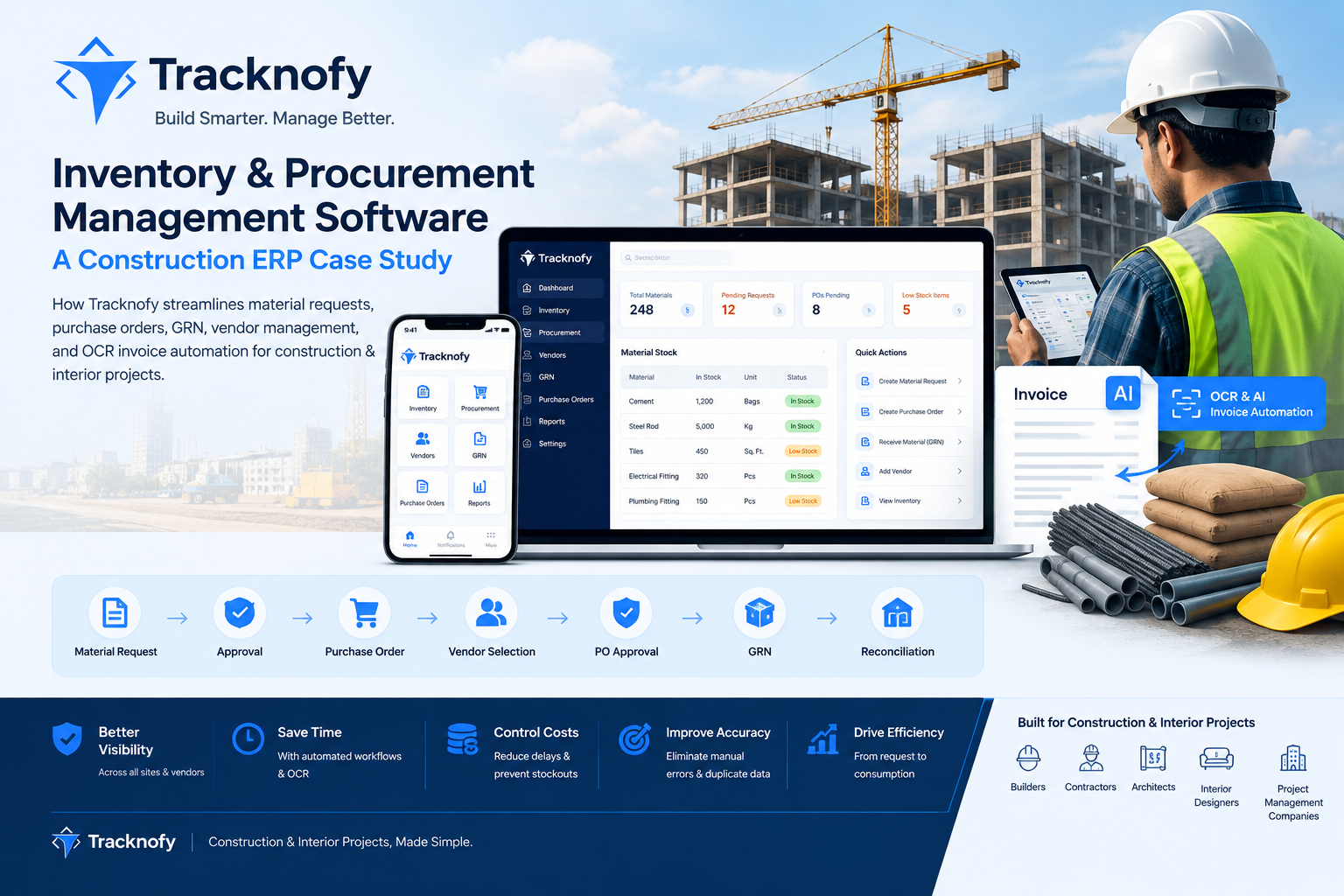
Tracknofy’s Inventory & Procurement Management module solves this by connecting material management, site-level material requests, approval workflows, purchasing, vendor management, purchase order (PO) approval, material receiving, Goods Receipt Note (GRN) management, PO-GRN reconciliation, and live inventory tracking into a single, unified construction ERP workflow.
The platform also supports real-world procurement exceptions such as Direct Purchase and Direct GRN, while inventory users can trigger an automated Reorder that loops seamlessly back into the Material Request process — creating a closed-loop replenishment system.
Tracknofy further strengthens this workflow with OCR and AI-powered invoice automation, reducing repetitive manual data entry and improving accuracy across material and pricing records.
2. Business Problem
The Challenge: Why Construction Companies Need Digital Procurement & Inventory Software
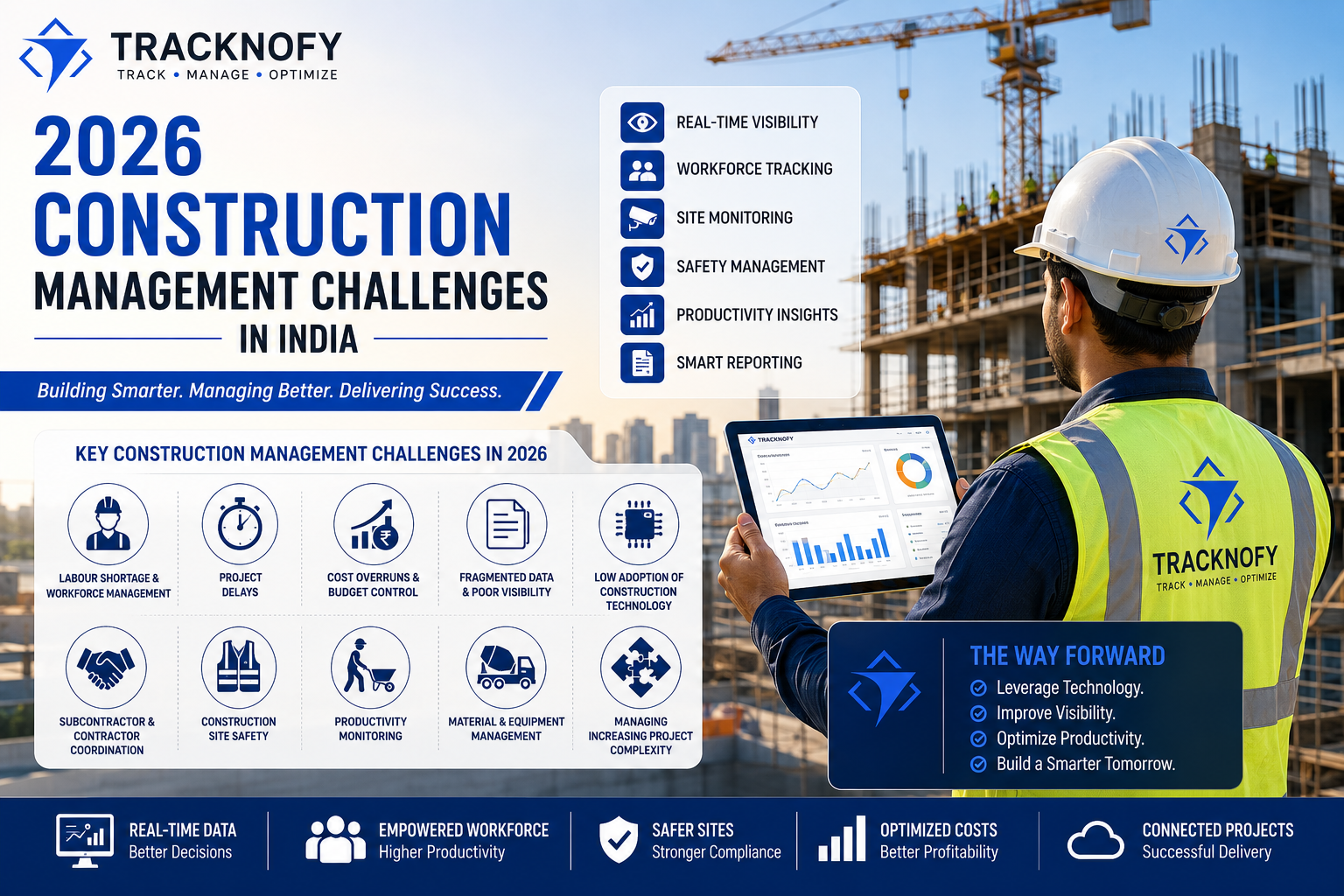
Construction projects frequently involve multiple sites, vendors, materials, purchase orders, deliveries, and inventory transactions running in parallel. Without a structured construction procurement management system, organizations commonly face:
- Difficulty tracking material requirements across sites
- Lack of real-time visibility into procurement status
- Manual, paper-based, or spreadsheet-driven purchase processes
- Difficulty reconciling ordered vs. received quantities
- Partial delivery management challenges
- Manual stock updates prone to human error
- Difficulty identifying low-stock or out-of-stock materials
- Duplicate data entry across teams and tools
- Limited visibility across multiple project sites
- Difficulty tracking material usage and inter-site transfers
- Repetitive, time-consuming invoice data entry
Example scenario: A site requires 100 bags of cement. The procurement team creates a Purchase Order (PO) for 100 bags, but the vendor initially delivers only 70. Without a proper PO vs. GRN reconciliation mechanism, teams may incorrectly assume the order is fully complete — creating downstream planning and cost risks.
Tracknofy solves this with a connected digital procurement flow:
Purchase Order → GRN → PO vs. GRN Reconciliation → Live Inventory
This structure allows teams to clearly distinguish between ordered, received, and pending quantities at every stage.
3. Business Objective
The primary objective of the Tracknofy Inventory & Procurement Management workflow is to deliver a centralized, traceable, and efficient material management process purpose-built for construction and interior design companies.
Key Objectives
- Digitize material requests from project sites
- Establish controlled Material Request Approval
- Support both request-based and direct procurement
- Maintain Purchase Order approval governance
- Simplify vendor selection and new vendor onboarding
- Digitize material receiving through GRN (Goods Receipt Note)
- Support urgent, non-PO material receiving through Direct GRN
- Reconcile ordered vs. received quantities automatically
- Provide real-time, live inventory visibility
- Track material usage and stock movement history
- Enable automated reordering of low-stock materials
- Support material transfers between construction sites
- Reduce repetitive invoice data entry using OCR/AI automation
- Improve overall construction procurement management and inventory control
4. Scope of the Case Study
In Scope
This case study covers the full construction inventory and procurement lifecycle:
- Material Master
- Material Request / Indent
- Material Request Approval
- Purchase Order Management
- Direct Purchase
- Vendor Selection & Vendor Management
- New Vendor Creation
- PO Approval Workflow
- Material Delivery
- GRN (Goods Receipt Note)
- Direct GRN
- PO vs. GRN Reconciliation
- Inventory / Stock Management
- Material Usage Tracking
- Reorder / Replenishment Workflow
- Site-to-Site Material Transfer
- OCR / AI Invoice Processing & Automation
Out of Scope
Areas outside the Inventory & Procurement workflow are not considered unless they directly interact with the material lifecycle.
5. Stakeholder Analysis
| Stakeholder | Responsibility | Interaction |
|---|---|---|
| Admin | Manage approvals and procurement operations | Material Request Approval, PO Approval |
| Site Team | Identify and request required materials | Material Request |
| Procurement User | Manage purchasing activities | PO, Direct Purchase, Vendor Management |
| Vendor | Supply required materials | Purchase Order, Delivery, Invoice |
| Store / Inventory User | Receive and manage stock | GRN, Inventory, Material Usage |
| Project Manager | Monitor project material requirements and availability | Requests, Procurement, Inventory |
| Finance / Accounts | Financial and invoice-related activities | Pricing, Invoicing, Tax Information |
| Management | Monitor operational and cost visibility | Procurement and Inventory Reports |
6. Material Master Management
Every reliable construction material management system starts with a structured Material Master.
Materials can be maintained with attributes such as:
- Material Name
- Material Type / Category
- Brand
- Size / Specification
- Rate combinations
- Other custom material attributes
Tracknofy also supports a global material list synchronization mechanism, allowing companies to sync from a shared master list instead of creating every material from scratch — a major time-saver for multi-site construction and interior design businesses.
Business Value
A centralized Material Master ensures data consistency across:
- Material Requests
- Purchase Orders
- GRNs
- Live Inventory
- Material Usage
- Reordering
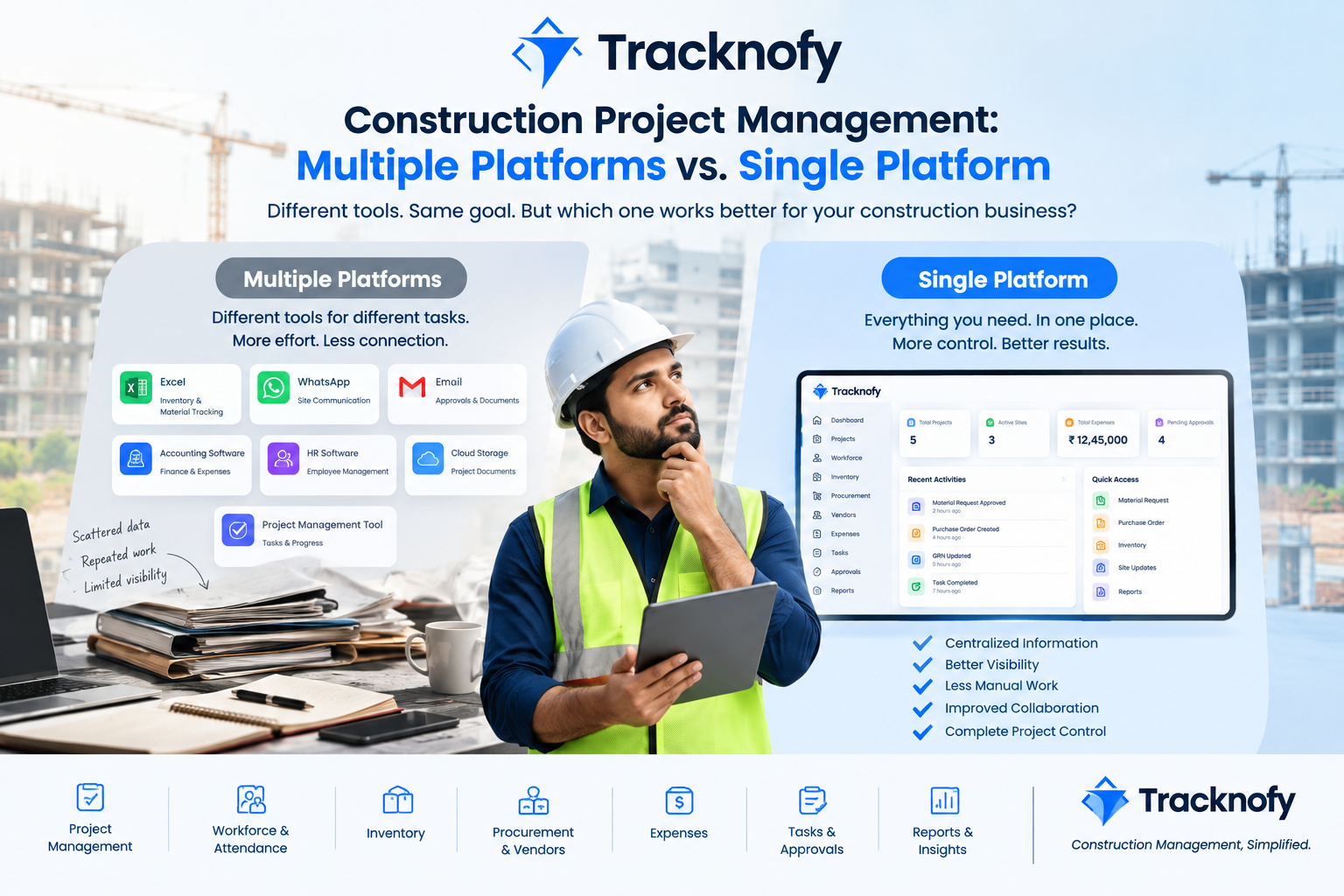
7. As-Is Business Scenario (Before Digital Procurement Software)
Before implementing a centralized construction ERP workflow, a typical procurement process involves several disconnected, manual activities:
Site identifies requirement
        ↓
Requirement communicated to procurement
        ↓
Vendor contacted
        ↓
Material purchased
        ↓
Vendor delivers material
        ↓
Material manually recorded
        ↓
Stock updated manually
        ↓
Material consumed
        ↓
Remaining stock manually tracked
Common Manual Tools Involved
- Excel spreadsheets
- WhatsApp messages
- Emails
- Paper records
- Vendor invoices
- Manual stock registers
This fragmented approach creates information gaps between requirement, purchase, delivery, and inventory — the exact problem modern inventory and procurement management software is designed to eliminate.
8. Pain Point Analysis
Pain Point 1 — Requirement Visibility Procurement teams often lack a centralized view of material requirements across sites.
Pain Point 2 — Procurement Tracking It’s difficult to determine whether a requested material has actually been purchased.
Pain Point 3 — Partial Delivery A PO for 100 units may see only 60 delivered — the system must clearly flag the remaining 40.
Pain Point 4 — Inventory Accuracy Manual stock updates create discrepancies between physical stock and recorded (system) stock.
Pain Point 5 — Emergency Procurement Not every purchase originates from a formal Material Request — the system must support Direct Purchase.
Pain Point 6 — Unplanned Material Receipt Materials sometimes arrive without a formal PO — the system needs Direct GRN capability.
Pain Point 7 — Repetitive Invoice Entry Manually entering material and pricing data from every vendor invoice increases operational effort and error risk.
Pain Point 8 — Multi-Site Material Movement Construction companies with multiple sites need reliable inter-site material transfer management.
9. To-Be Tracknofy Workflow (Digital Procurement & Inventory Flow)
The proposed Tracknofy construction ERP workflow connects procurement and inventory into a single, closed-loop lifecycle:
                         MATERIAL MASTER
                               ↓
                    MATERIAL REQUEST / INDENT
                               ↓
                  MATERIAL REQUEST APPROVAL
                               ↓
                          PURCHASE
                       /            \
                      /              \
                     ↓                ↓
          FROM APPROVED          DIRECT PURCHASE
             REQUEST                    │
                     \                 /
                      \               /
                       ↓             ↓
                         PURCHASE ORDER
                               ↓
                          PO APPROVAL
                               ↓
                       MATERIAL DELIVERY
                               ↓
                    ┌──────────┴──────────┐
                    ↓                     ↓
                   GRN                DIRECT GRN
                    └──────────┬──────────┘
                               ↓
                   PO vs GRN RECONCILIATION
                               ↓
                        LIVE INVENTORY
                      /       |        \
                     /        |         \
                    ↓         ↓          ↓
                  USE      REORDER    TRANSFER
                             ↓           ↓
                    MATERIAL REQUEST   OTHER SITE
                             ↓
                    MATERIAL REQUEST
                       APPROVAL
                             ↓
                         PURCHASE
                             ↓
                       PO APPROVAL
10. Material Request / Indent
The Material Request is the primary mechanism through which a site communicates its material requirement within the construction inventory management system.
The site team can select:
- Site
- Required-By Date
- Material Type
- Material Name
- Size
- Quantity
Users can add multiple materials to a single request before submitting it for approval.
Request Lifecycle
Draft
  ↓
Material Added
  ↓
Submit for Approval
  ↓
Pending
  ↓
Approve / Reject
Modification Rule
A Material Request can be edited or deleted only while it is in the Pending state. Once approved or rejected, it can no longer move through the same editable pending state.
11. Material Request Approval
The Material Request Approval stage provides essential procurement governance and control.
The Admin can review submitted requests and:
- Approve
- Reject
This approval checkpoint prevents every site requirement from automatically becoming an unmonitored purchase.
Business Objective
The approval stage ensures material procurement remains controlled and fully traceable before the purchasing process begins — a core requirement of any effective procurement management system.
12. Purchase Order Management
After Material Request Approval, the workflow proceeds toward Purchase Order (PO) management — a core capability of Tracknofy’s purchase order management software.
Tracknofy supports two procurement paths:
Path A — Request-Based Purchase
Material Request
       ↓
Material Request Approval
       ↓
Purchase Order
Path B — Direct Purchase
Direct Purchase
       ↓
Purchase Order
       ↓
PO Approval
Important Business Rule
Direct Purchase does not bypass PO Approval. Both request-based and direct purchases ultimately pass through:
Purchase Order → PO Approval
This maintains procurement control even when a purchase is initiated directly, without a preceding material request.
13. Vendor Management
During Purchase Order creation, the procurement user can select from an existing vendor list — a key feature of Tracknofy’s built-in vendor management software.
Existing Vendor
Vendor List
    ↓
Select Vendor
    ↓
Create PO
New Vendor
Vendor not found
      ↓
Create New Vendor
      ↓
Save Vendor
      ↓
Select / Use Vendor
      ↓
Create PO
This gives procurement teams flexibility without forcing them to leave the purchasing workflow mid-process.
BA Business Rule
The system should allow users to select an existing vendor or create a new vendor on the fly when the required vendor is not already available in the vendor database.
14. Purchase Order Approval
PO creation and PO approval are treated as two distinct business stages within the construction ERP procurement workflow.
PO Lifecycle
PO Created
    ↓
Pending
    ↓
PO Approval
    ↓
Approved
    ↓
Delivered / Partial / Assigned / Cancelled
Business Objective
Separating creation from approval ensures every purchase is properly authorized before procurement proceeds toward delivery and receiving — strengthening financial and operational governance.
15. Goods Receipt Note (GRN) Management
When materials arrive at the project site, the receiving process begins. The Goods Receipt Note (GRN) records exactly what was delivered — a critical capability of any reliable GRN management software.
A GRN can capture:
- Purchase Order reference
- Vendor
- Material
- Ordered Quantity
- Delivered Quantity
- Rate
- Invoice-related information
- Other receiving details
Standard GRN Flow
Approved PO
    ↓
Material Delivery
    ↓
Pending Delivery
    ↓
Enter Actual Received Quantity
    ↓
GRN
    ↓
Inventory
The system automatically identifies quantity differences between what was ordered and what was actually received.
16. Direct GRN
Not every material receipt follows the standard request-to-PO workflow. For example, a material may be urgently purchased and delivered without a formal Material Request.
Tracknofy supports Direct GRN for exactly these scenarios:
Material Arrives
      ↓
No Standard PO Flow
      ↓
Direct GRN
      ↓
Inventory
Business Objective
Direct GRN ensures materials received outside the standard procurement path are still properly recorded and reflected in live inventory — an essential exception-handling capability for real-world construction sites.
17. PO vs. GRN Reconciliation
One of the most valuable features of the workflow is automated PO vs. GRN reconciliation, comparing:
Ordered Quantity vs. Received Quantity
Example
| Material | Ordered | Received | Pending |
|---|---|---|---|
| Cement | 100 | 100 | 0 |
| Steel | 500 KG | 300 KG | 200 KG |
| Tiles | 200 | 150 | 50 |
This enables teams to instantly identify:
- Fully received materials
- Partially received materials
- Pending deliveries
Reconciliation Status Indicators
📦 Ordered   → Nothing / Not Yet Received
✅ Received  → Complete Delivery
⚠️ Pending   → Partial Delivery
A progress indicator helps users quickly understand the delivery status of any PO at a glance.
Business Value
PO-GRN reconciliation improves:
- Procurement visibility
- Delivery tracking
- Inventory accuracy
- Vendor follow-up and accountability
- Financial visibility and cost control
18. Live Inventory Management
After material receiving, inventory becomes the operational source of truth for stock visibility — powered by real-time inventory tracking.
Tracknofy categorizes stock into three clear states:
- 🟢 In Stock — Material is sufficiently available
- 🟡 Low Stock — Material is approaching its defined reorder level
- 🔴 Out of Stock — Material is unavailable
19. Material Usage
The Use Material functionality records material consumption or issue from inventory.
Example
Available Stock = 100 Bags
        ↓
Material Used = 25 Bags
        ↓
Remaining Stock = 75 Bags
This directly connects inventory records with actual project and site-level usage.
Business Value
Material usage tracking helps project teams understand:
- How much material was consumed
- Where material was used
- Remaining stock levels
- Historical usage trends
20. Reorder Workflow (Automated Replenishment)
When material stock becomes low or reaches an out-of-stock condition, the user can trigger Reorder — a core feature of Tracknofy’s automated inventory replenishment system.
Importantly, Reorder does not directly create a purchase. Instead, it routes the requirement back through the full Material Request workflow, preserving all approval controls.
LOW / OUT OF STOCK
        ↓
      REORDER
        ↓
MATERIAL REQUEST
        ↓
MATERIAL REQUEST APPROVAL
        ↓
PURCHASE ORDER
        ↓
PO APPROVAL
        ↓
DELIVERY
        ↓
GRN
        ↓
INVENTORY
BA Insight
This creates a fully closed-loop inventory replenishment process:
Inventory → Reorder → Material Request → Procurement → Receiving → Inventory
21. Inter-Site Material Transfer
Construction companies frequently manage multiple project sites simultaneously. Instead of purchasing the same material twice, available stock at one site can be transferred to another — a key multi-site inventory management capability.
Site A Inventory
    ↓
Transfer
    ↓
Site B Inventory
The workflow maintains complete transfer history for full traceability of material movement.
Business Value
Material transfer capability helps:
- Reduce unnecessary duplicate purchases
- Improve utilization of existing stock
- Support multi-site inventory management
- Improve overall material availability across projects
22. AI & OCR-Based Invoice Automation
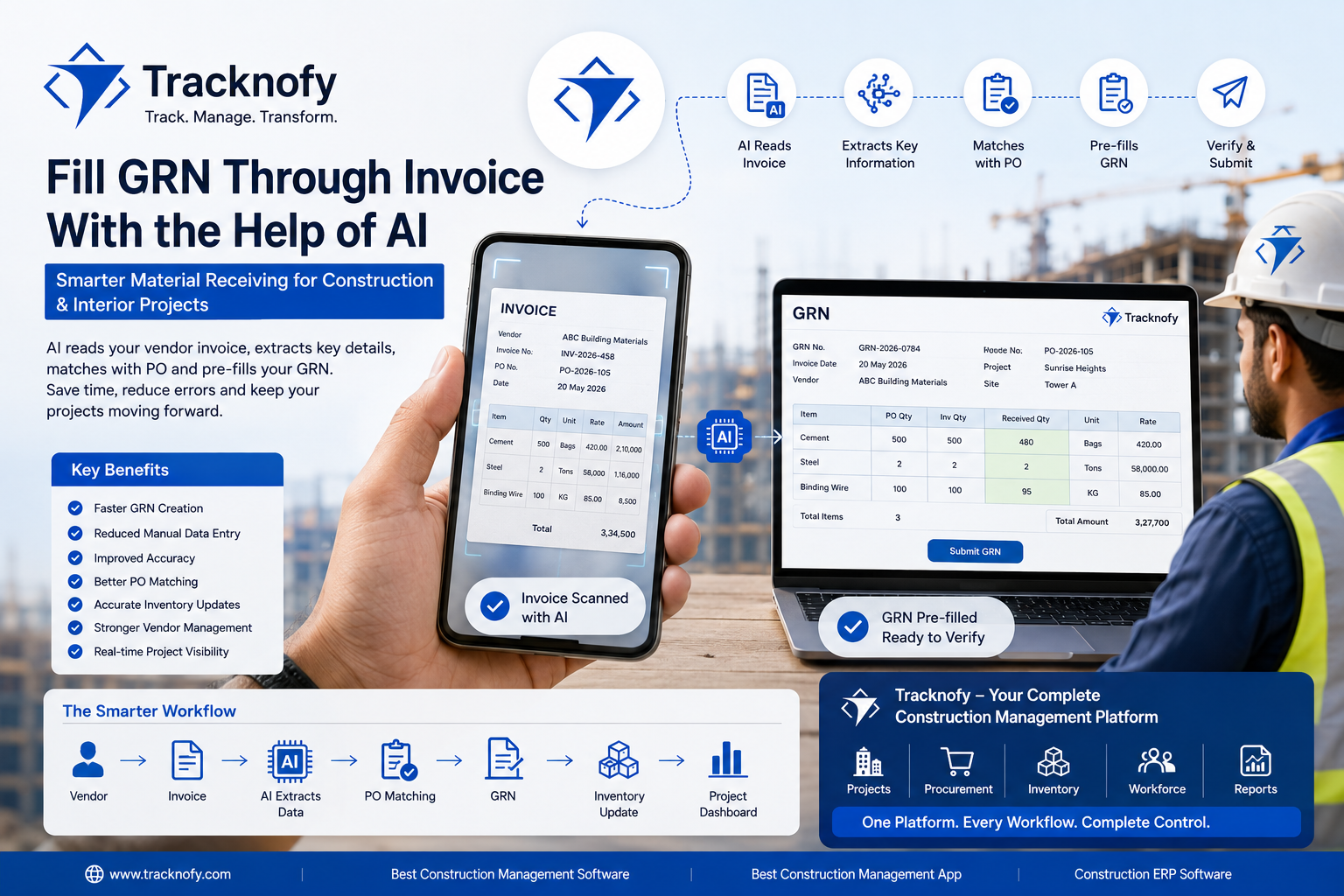
Tracknofy introduces an intelligent automation layer using OCR and AI-powered invoice processing — one of the platform’s standout construction technology features.
Instead of manually entering every line item from a vendor invoice, invoice data is processed through OCR/AI to automatically capture relevant information.
Traditional (Manual) Process
Vendor Invoice
      ↓
Read Invoice
      ↓
Manually Enter Material
      ↓
Enter Quantity
      ↓
Enter Price
      ↓
Enter Invoice Information
Tracknofy’s Automated Approach
Vendor Invoice
      ↓
OCR / AI Processing
      ↓
Extract Relevant Information
      ↓
Material + Quantity + Price
      ↓
User Verification
      ↓
Manage Procurement / Inventory Data
Key Benefit
The objective isn’t simply “using AI” — the real business benefit is:
Reducing repetitive data entry by reusing information captured directly from the invoice.
This reduces operational effort and significantly improves consistency across procurement and inventory data.
23. Business Rules
| ID | Business Rule |
|---|---|
| BR-01 | Material Request can be edited/deleted only in the applicable Pending state. |
| BR-02 | Material Request requires approval before request-based procurement proceeds. |
| BR-03 | Direct Purchase can create a purchase without an originating Material Request. |
| BR-04 | Direct Purchase must still go through PO Approval. |
| BR-05 | Existing vendors can be selected during PO creation. |
| BR-06 | New vendors can be created when the required vendor does not exist in the vendor list. |
| BR-07 | GRN records actual material receipt. |
| BR-08 | Direct GRN supports material receiving without the standard request/PO path. |
| BR-09 | PO and GRN quantities should be reconcilable. |
| BR-10 | Reorder redirects the requirement to Material Request. |
| BR-11 | Material can be transferred between project sites. |
| BR-12 | Inventory should reflect material movements through receiving, usage, and transfer transactions. |
24. Functional Requirements
Material Management
- FR-01: System should allow authorized users to manage materials.
- FR-02: System should support material type, name, brand, size, and rate-related information.
- FR-03: System should support synchronization from the global material list where applicable.
Material Request
- FR-04: User should be able to create a Material Request for a site.
- FR-05: User should be able to add multiple materials to a request.
- FR-06: User should be able to specify required quantity and required-by date.
- FR-07: Pending requests should support applicable edit/delete functionality.
Approval
- FR-08: Admin should be able to review Material Requests.
- FR-09: Admin should be able to approve or reject Material Requests.
Procurement
- FR-10: User should be able to create a PO from an approved Material Request.
- FR-11: User should be able to create a Direct Purchase.
- FR-12: Direct Purchase should proceed through PO Approval.
Vendor
- FR-13: User should be able to select an existing vendor.
- FR-14: User should be able to create a new vendor when required.
GRN
- FR-15: User should be able to create a GRN against applicable purchase/delivery information.
- FR-16: User should be able to create a Direct GRN.
- FR-17: System should record actual received quantity.
Reconciliation
- FR-18: System should compare PO ordered quantity with GRN received quantity.
- FR-19: System should identify pending/partial quantities.
Inventory
- FR-20: System should provide live stock visibility.
- FR-21: User should be able to record material usage.
- FR-22: User should be able to initiate Reorder.
- FR-23: Reorder should create/route the requirement into the Material Request process.
- FR-24: User should be able to transfer material between sites.
OCR / AI
- FR-25: System should support invoice data extraction through OCR/AI.
- FR-26: Extracted material and pricing information should be available for user verification and management.
25. User Stories
US-01 — Material Request As a Site User, I want to create a Material Request for my site so that the procurement team knows which materials are required.
US-02 — Material Request Approval As an Admin, I want to review and approve or reject Material Requests so that procurement is controlled.
US-03 — Request-Based PO As a Procurement User, I want to create a Purchase Order from an approved Material Request so that approved requirements can be purchased.
US-04 — Direct Purchase As a Procurement User, I want to create a Direct Purchase so that I can procure materials when there is no existing Material Request.
US-05 — Vendor As a Procurement User, I want to select an existing vendor or create a new vendor so that I can complete the purchasing process without unnecessary navigation.
US-06 — PO Approval As an authorized approver, I want to approve Purchase Orders so that purchases are authorized before delivery.
US-07 — GRN As an Inventory User, I want to record the actual received quantity through GRN so that inventory reflects the materials physically received.
US-08 — Direct GRN As an Inventory User, I want to create a Direct GRN so that materials received outside the standard PO flow can still be recorded in inventory.
US-09 — Reconciliation As a Procurement User, I want to compare PO quantities with GRN quantities so that I can identify received and pending deliveries.
US-10 — Reorder As an Inventory User, I want to reorder low-stock materials so that the requirement automatically enters the Material Request process.
US-11 — Transfer As an Inventory User, I want to transfer materials between sites so that available inventory can be utilized where it’s needed.
US-12 — OCR As a Procurement User, I want invoice information to be extracted using OCR/AI so that I can reduce repetitive manual data entry.
26. Acceptance Criteria Examples
User Story — Reorder
Given a material has reached a low/out-of-stock condition, When the user selects Reorder, Then the material should be routed back into the Material Request process.
Additional criteria:
- Material information should be carried into the request where applicable.
- Required quantity should be captured.
- The request should follow Material Request Approval.
- Approved requirements should proceed toward Purchase Order.
- PO should go through PO Approval.
- Subsequent delivery should be managed through GRN.
User Story — Direct Purchase
Given a procurement user needs to purchase material without an existing Material Request, When the user selects Direct Purchase, Then the user should be able to create the purchase directly.
And the resulting Purchase Order must still go through PO Approval before proceeding through the approved procurement lifecycle.
27. UAT Scenarios
| UAT ID | Scenario | Expected Result |
|---|---|---|
| UAT-01 | Create Material | Material should be created successfully |
| UAT-02 | Create Material Request | Request should be created for selected site |
| UAT-03 | Edit Pending Request | Applicable pending request should be editable |
| UAT-04 | Delete Pending Request | Applicable pending request should be deletable |
| UAT-05 | Approve Material Request | Request should move to approved state |
| UAT-06 | Reject Material Request | Request should move to rejected state |
| UAT-07 | Create PO from Approved Request | PO should be generated |
| UAT-08 | Create Direct Purchase | Direct purchase should be created |
| UAT-09 | Direct Purchase PO Approval | Direct Purchase should require PO approval |
| UAT-10 | Select Existing Vendor | Existing vendor should be selectable |
| UAT-11 | Create New Vendor | New vendor should be created successfully |
| UAT-12 | Create GRN | Actual received quantity should be recorded |
| UAT-13 | Partial GRN | PO should reflect partial receipt |
| UAT-14 | Complete GRN | PO should reflect completed delivery |
| UAT-15 | Create Direct GRN | Material should be receivable without standard PO flow |
| UAT-16 | PO vs GRN Reconciliation | Ordered/received/pending quantities should be identifiable |
| UAT-17 | Material Usage | Stock should decrease according to usage |
| UAT-18 | Reorder | Reorder should route to Material Request |
| UAT-19 | Material Transfer | Material should move between applicable sites |
| UAT-20 | OCR Invoice | Invoice information should be extracted for verification |
| UAT-21 | Invoice Material/Price | Extracted information should be manageable in the workflow |
28. Key BA Process Insight
The most important finding from this analysis is that Tracknofy’s Inventory module is not an isolated stock-management tool — it’s an interconnected construction procurement and inventory management workflow.
Core Flow
Material Request → Approval → PO → PO Approval → GRN → Reconciliation → Inventory
Alternative Flow
Direct Purchase → PO Approval → Delivery → GRN
Receiving Exception Flow
Direct GRN → Inventory
Replenishment Flow
Inventory → Reorder → Material Request → Procurement → Inventory
Multi-Site Flow
Site A Inventory → Transfer → Site B Inventory
Automation Flow
Invoice → OCR/AI → Material/Price Information → Verification → Procurement/Inventory
This is the strongest part of the case study, as it demonstrates process analysis, workflow mapping, exception handling, business rule definition, requirements engineering, and process automation — all core competencies of effective construction ERP business analysis.
29. Business Benefits
- Improved Material Visibility — Teams can track materials across the full lifecycle, from requirement to inventory.
- Better Procurement Control — Separate Material Request Approval and PO Approval provide structured checkpoints.
- Better Delivery Tracking — PO-GRN reconciliation helps identify partial and pending deliveries.
- Improved Inventory Accuracy — Receiving, usage, and transfer activities stay connected to live inventory.
- Reduced Duplicate Procurement — Reorder and transfer functionality help teams fully utilize existing inventory.
- Reduced Manual Data Entry — OCR/AI-assisted invoice processing cuts repetitive invoice data entry.
- Better Multi-Site Management — Site-level inventory transfer simplifies managing materials across construction projects.
30. KPIs for Measuring Success
| KPI | What It Measures |
|---|---|
| Material Request Processing Time | Time from request creation to approval |
| PO Approval Time | Time required to approve a PO |
| Procurement Cycle Time | Requirement to purchase |
| GRN Processing Time | Delivery to GRN completion |
| Partial Delivery Rate | Frequency of incomplete deliveries |
| Inventory Accuracy | System stock vs. physical stock |
| Stock-Out Rate | Frequency of unavailable materials |
| Reorder Frequency | Number of replenishment requests |
| Material Transfer Rate | Utilization of inter-site transfers |
| Manual Invoice Entry Time | Effort spent entering invoice data |
| OCR Processing Rate | Invoices processed using OCR/AI |
31. BA Deliverables
Business Problem
      ↓
Stakeholder Analysis
      ↓
As-Is Process
      ↓
Pain Point Analysis
      ↓
To-Be Process
      ↓
Business Rules
      ↓
Functional Requirements
      ↓
User Stories
      ↓
Acceptance Criteria
      ↓
Use Cases
      ↓
Data Dictionary
      ↓
UAT Scenarios
      ↓
KPIs
      ↓
Business Benefits
32. BA Challenges & Solutions
Challenge 1 — Multiple Procurement Entry Points Challenge: Not every purchase starts from a Material Request. Solution: Support both Request-Based Purchase and Direct Purchase, while maintaining PO Approval control.
Challenge 2 — Non-PO Material Receipt Challenge: Materials may arrive without following the standard request/PO process. Solution: Introduce Direct GRN to capture the material into the inventory workflow.
Challenge 3 — Partial Deliveries Challenge: Ordered quantity and received quantity may differ. Solution: Implement PO vs. GRN Reconciliation to identify ordered, received, and pending quantities.
Challenge 4 — Inventory Replenishment Challenge: Low-stock materials require a new procurement cycle. Solution: Connect Reorder → Material Request, creating a closed-loop replenishment workflow.
Challenge 5 — Repetitive Invoice Data Entry Challenge: Material and price information may need to be entered repeatedly from invoices. Solution: Introduce OCR/AI-assisted invoice processing to extract relevant information and reduce repetitive manual entry.
33. Frequently Asked Questions (FAQ)
What is construction inventory management software? Construction inventory management software is a digital system that helps construction and interior project teams track materials from request through procurement, delivery, usage, and site-to-site transfer, replacing manual spreadsheets and paper records with real-time visibility.
How does Tracknofy handle partial material deliveries? Tracknofy uses PO vs. GRN reconciliation to automatically compare ordered and received quantities, clearly flagging partial deliveries and pending amounts so procurement teams can follow up with vendors.
What is the difference between GRN and Direct GRN? A standard GRN records material received against an approved Purchase Order. A Direct GRN records material received outside the standard PO flow — for example, urgent materials purchased and delivered without a formal request.
Can Tracknofy transfer materials between construction sites? Yes. Tracknofy supports inter-site material transfers with full transfer history, helping companies reduce duplicate purchases and make better use of existing stock across multiple project sites.
How does OCR/AI invoice automation work in Tracknofy? Vendor invoices are processed through OCR/AI to automatically extract material names, quantities, and prices. Users then verify the extracted data before it flows into procurement and inventory records, significantly cutting manual data entry.
34. Final Outcome
Tracknofy’s Inventory & Procurement Management workflow creates a structured, end-to-end connection between site requirements, procurement, vendor management, purchase orders, approvals, material receiving, reconciliation, live inventory, consumption, replenishment, and site-to-site material movement.
The result is a more connected, more efficient approach to construction inventory management and procurement management, where each stage feeds accurate information to the next while maintaining full visibility across the material lifecycle.
The workflow can be summarized as:
Request → Approve → Purchase → Approve PO → Receive → Reconcile → Stock → Use / Reorder / Transfer
With additional capabilities for:
Direct Purchase + Direct GRN + OCR/AI Invoice Automation
From a Business Analyst perspective, this project demonstrates how a complex operational process in the construction and interior design industry can be transformed into a structured digital workflow using requirements analysis, process mapping, business rules, user stories, acceptance criteria, exception flows, and UAT planning — the foundation of any successful construction ERP / SaaS procurement platform.